EIM app
How to use the EIM app
Sign in, practise questions, sit mock tests, read your notes and manage your account. The app uses the same account as the EIM website, and anything you hold there opens in the app.
Guide 1 of 5
Sign in
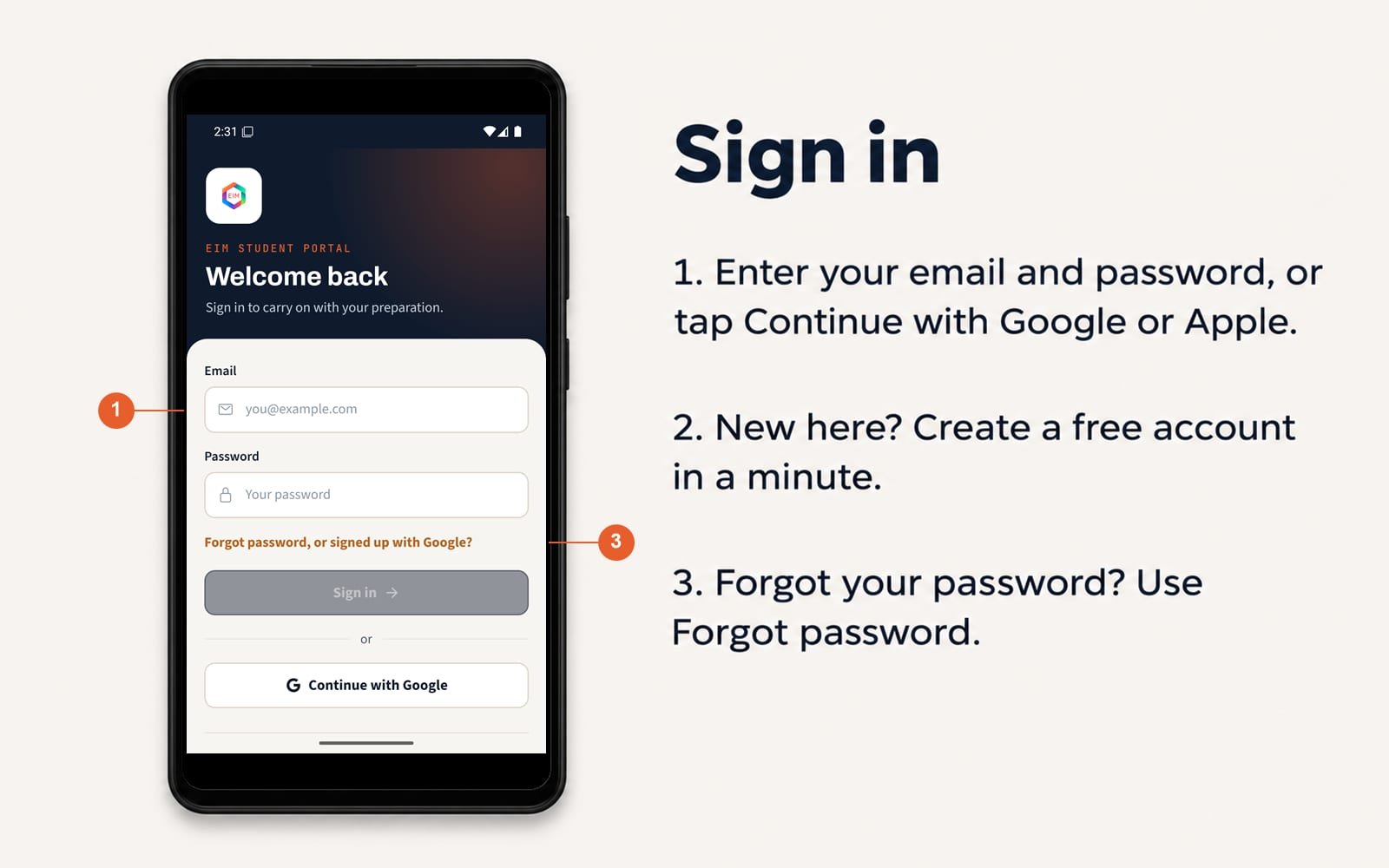
- Enter your email and password, or tap Continue with Google or Apple.
- New here? Create a free account in a minute.
- Forgot your password? Use Forgot password.
Guide 2 of 5
Practise questions
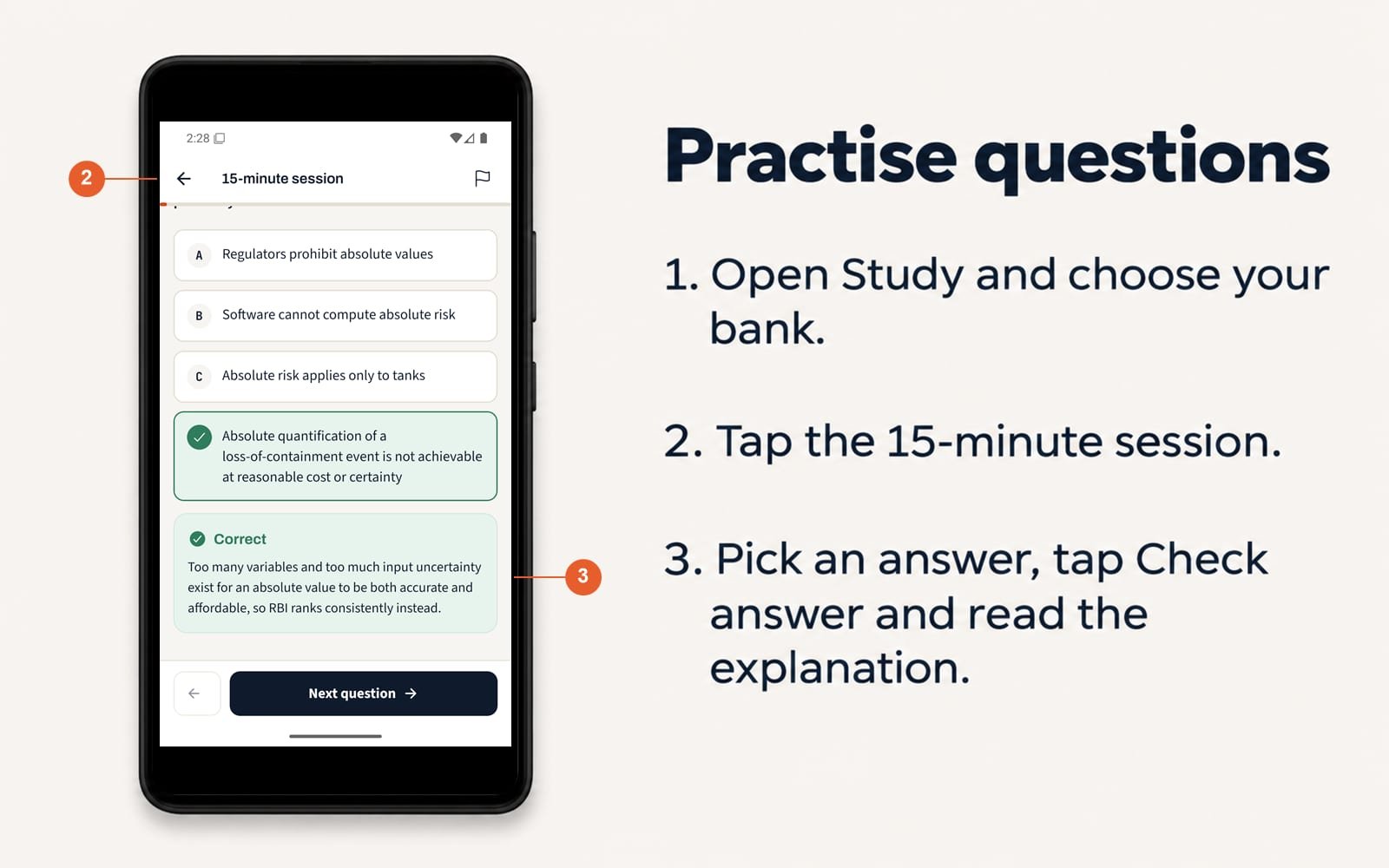
- Open Study and choose your bank.
- Tap the 15-minute session.
- Pick an answer, tap Check answer and read the explanation.
Guide 3 of 5
Sit a mock test
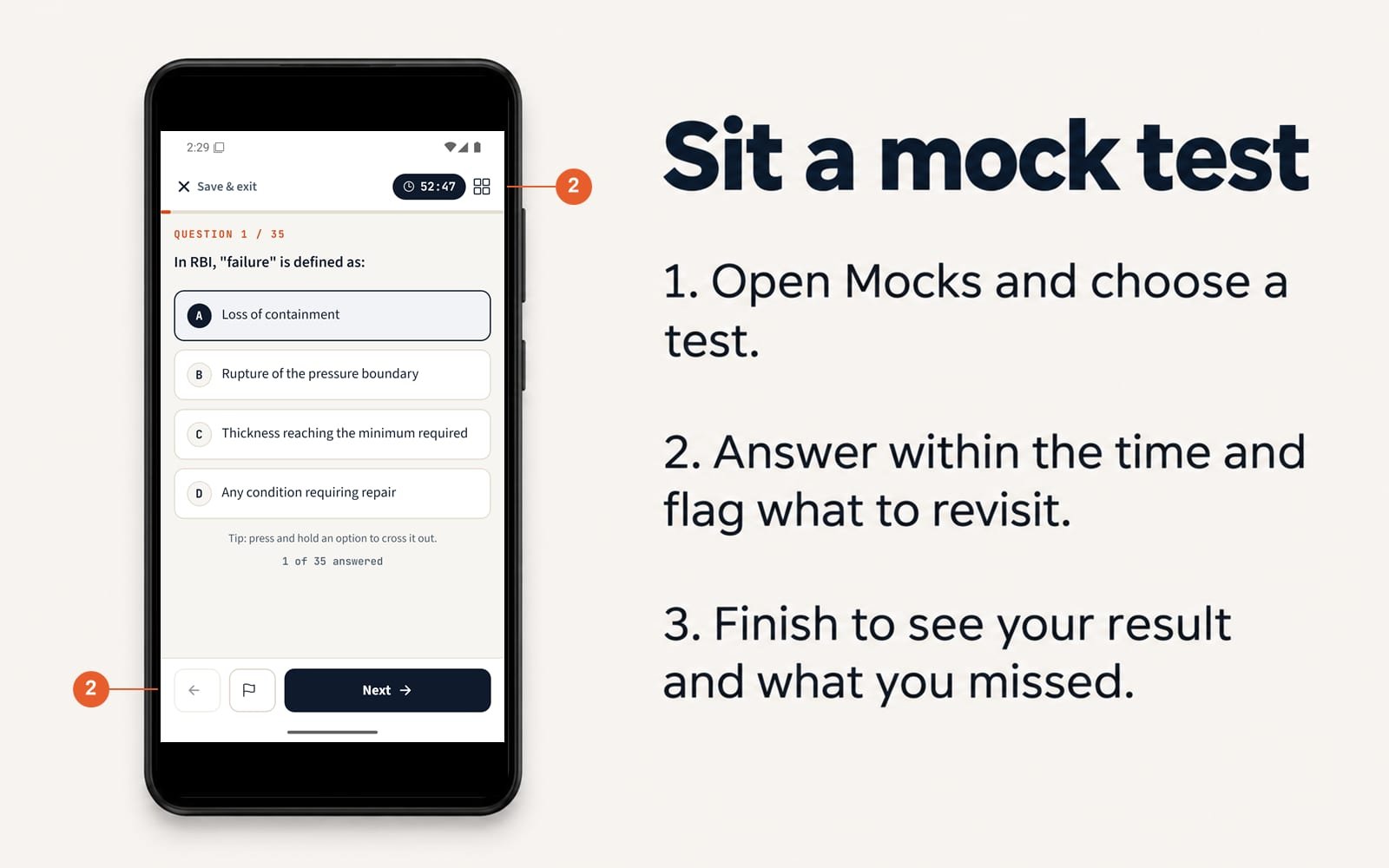
- Open Mocks and choose a test.
- Answer within the time and flag what to revisit.
- Finish to see your result and what you missed.
Guide 4 of 5
Read your notes
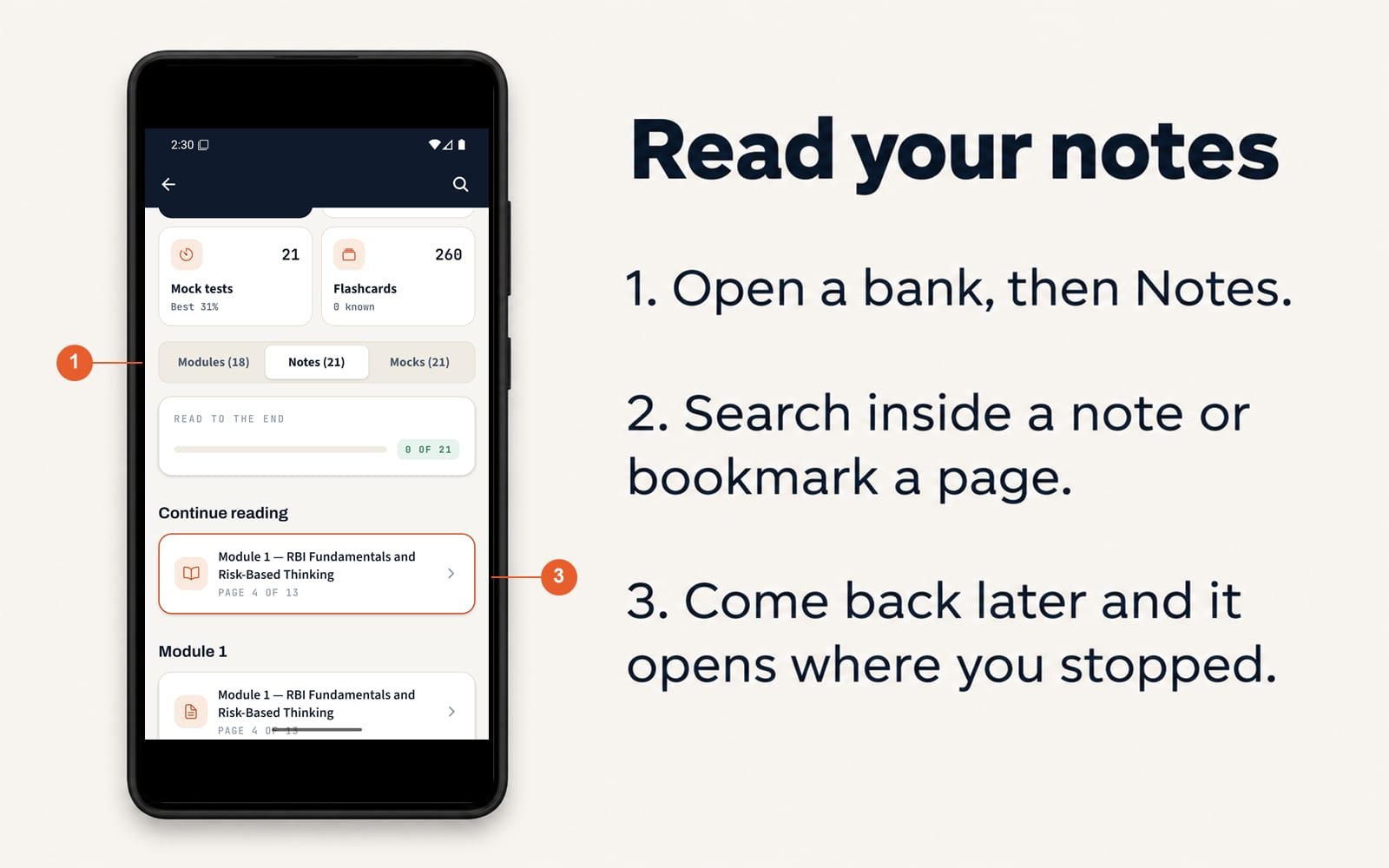
- Open a bank, then Notes.
- Search inside a note or bookmark a page.
- Come back later and it opens where you stopped.
Guide 5 of 5
Delete your account
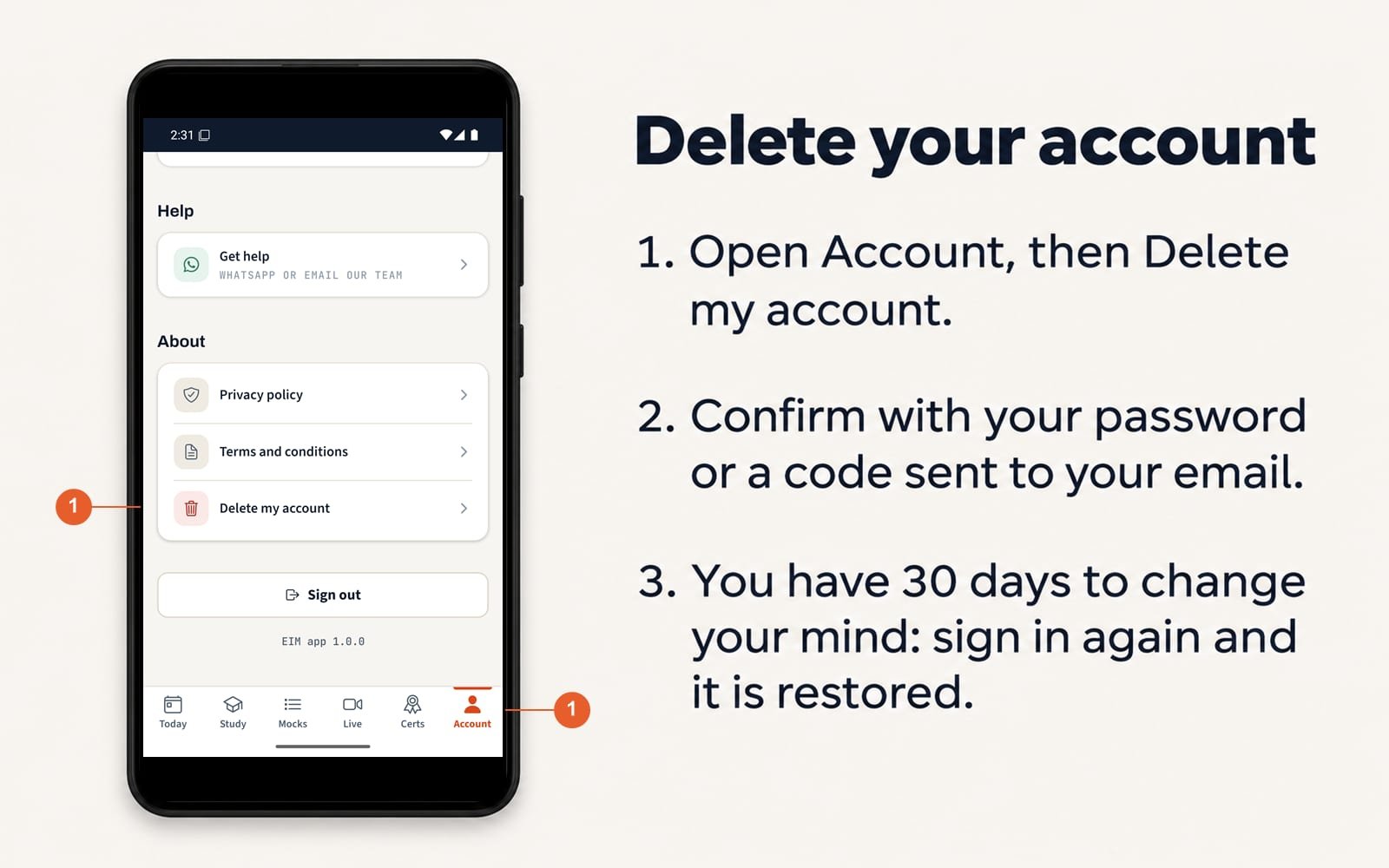
- Open Account, then Delete my account.
- Confirm with your password or a code sent to your email.
- You have 30 days to change your mind: sign in again and it is restored.
Still stuck?
Message us with what you see on your screen and we will help you through it.